How to put Computer into Hibernate?
Hibernation in computing is powering down a computer while retaining its state.
Upon hibernation, the computer saves the contents of its random access memory (RAM) to a hard disk or other non-volatile storage. Upon resumption, the computer is exactly as it was upon entering hibernation.
When used to save power, hibernation is similar to sleep mode and saves more power at the cost of slower resumption.
Now let us check how to do this!
Step 1 : Select the start button and in the search bar type "power".

Step 2 : Select the option "Change what the power buttons do".
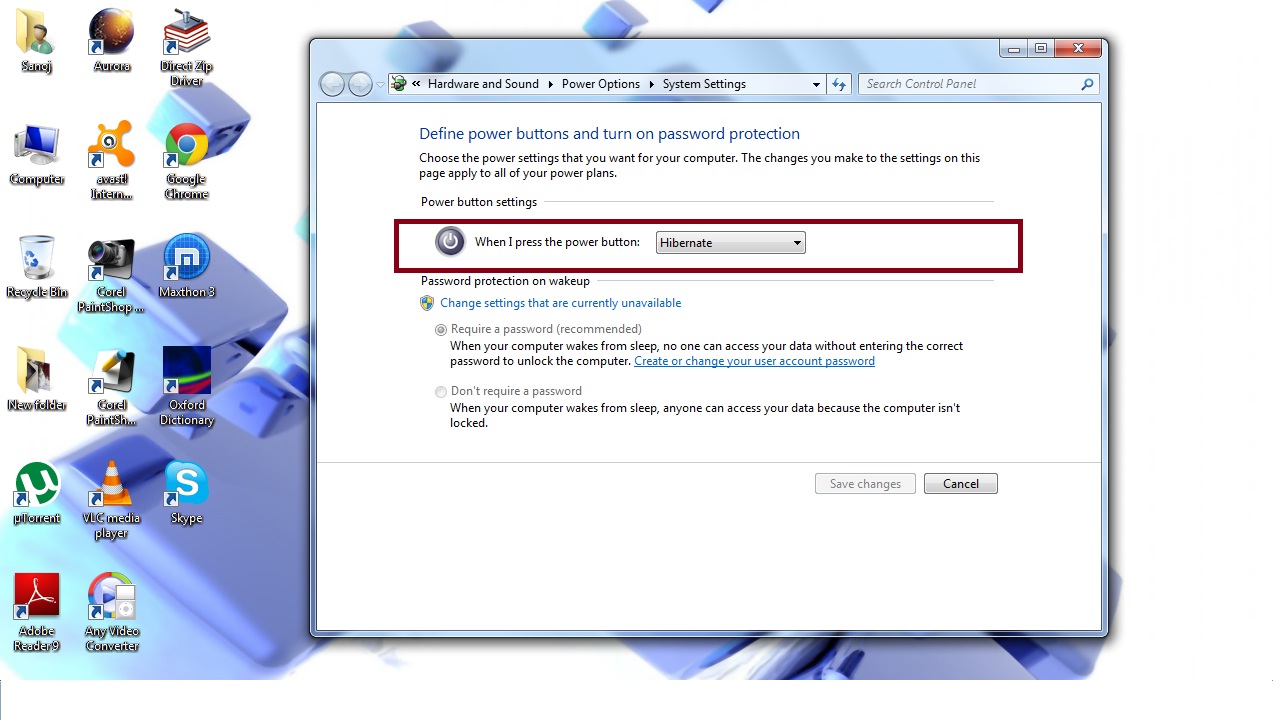
Step 3 : Then from the drop down menu change to "hibernate"(By default it is Shut Down)
After this you will be able to put computer stand-by even if there is no power. But remember you should restart the computer at least one time in a day after a successful hibernation.
