Computer > Internet > Address > How to find MAC address
How to find MAC address?
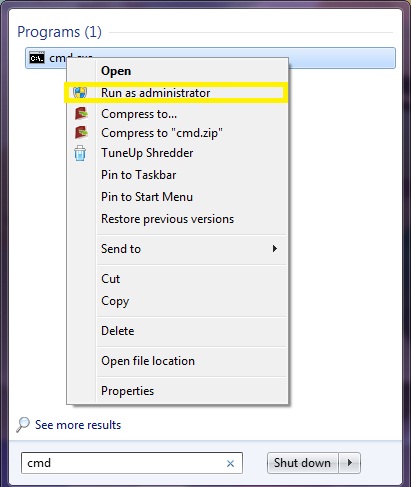
Step 1 : Click Start and type CMD in the start search box
Step 2 : Right click the CMD and click Run as an administrator .
Step 3 : In the command prompt, type ipconfig /all and press Enter.
Step 4 : Check out the physical address and this will show your MAC address.
